How to Migrate to Shopify: Step-by-Step Ecommerce Replatforming Guide


(If you prefer video content, please watch the concise video summary of this article below)
Key Facts
- Shopify migration is a strategic replatforming project. It should start with clear business goals, a platform audit, data mapping, and a realistic migration timeline.
- SEO protection is one of the most critical parts of the process. URL mapping, 301 redirects, metadata transfer, internal link updates, and post-launch monitoring help preserve rankings and organic traffic.
- The right migration method depends on store complexity. Small stores may use CSV imports or migration apps, while enterprise businesses often need custom development or agency-led replatforming.
- Post-launch optimization is part of the migration. Teams should monitor performance, orders, crawl errors, customer behavior, and backend workflows during the stabilization phase.
Deciding to switch platforms isn’t usually something a business does just for fun; it’s almost always a move born out of pure necessity. When your current setup starts to buckle during high-traffic events or needs a constant stream of manual patches just to keep it from falling apart, the conversation quickly shifts from “maybe someday” to “how do we do this now?”
Looking at the ecommerce world in 2026, everything revolves around speed and keeping operations lean. Recent industry data shows that Shopify now powers more than 26% of the global ecommerce market. Its enterprise version, Shopify Plus, is already supporting nearly 78,000 high-growth sites as of early this year. If you want to pull in more revenue without being weighed down by technical debt, figuring out how to migrate to Shopify is really the first step toward building a business that actually lasts.
Ready to scale? Get a custom Shopify store built for growth by SaM Solutions’ experts.
Why Move Your Ecommerce Store to Shopify?
The real push to start a migration to Shopify usually happens the moment you realize your current platform has stopped being a growth engine and has started being a bottleneck.
Scalability for growing online stores
Growth shouldn’t feel like a threat. For many legacy platforms, a viral marketing campaign or a Black Friday surge is a direct recipe for a site crash. Shopify’s multi-tenant cloud architecture handles the Flash Sale effect right out of the box. During peak periods in 2024, Shopify’s infrastructure processed over $4.6 million in sales per minute with zero downtime. This level of elastic scaling ensures that even if your order volume triples overnight, your site performance stays rock solid.
Security and platform reliability
Keeping up with constant cyber threats and strict rules like GDPR honestly feels like a full-time job. If you’re still running a self-hosted store, the massive headache of managing PCI compliance and server patching falls right on your dev team’s shoulders. Switching to Shopify basically takes that weight off your back. The platform comes with Level 1 PCI DSS compliance straight out of the box. This gives you enterprise-grade security (stuff like SSL certificates and automated risk checks for every single transaction) so you can finally get back to actually selling things instead of stressing over security audits.
Easier store management for teams
One of the best quality of life benefits of replatforming is that it democratizes the backend. You don’t need a developer every time you want to change a homepage banner or update a product description. Shopify’s interface is intuitive enough that marketing and operations teams can handle day-to-day tasks on their own. With the recent rollout of Shopify Sidekick and other AI-driven management tools, teams can now use simple natural language commands to pull reports or adjust settings, cutting down the time-to-live for new campaigns.
App ecosystem and third-party integrations
Most modern ecommerce stores are built on a whole stack of different tools, from ERPs and CRMs to 3PL providers. One of the best things about Shopify is its ecosystem, it’s honestly its biggest strength. You’ve got over 8,000 specialized apps that you can just plug in with hardly any setup. Whether you’re trying to launch a high-end loyalty program or you need a custom integration to keep your warehouse in sync, the way the platform is built with an API-first mindset makes it a super flexible base for pretty much any tech stack you’re running.

When Is the Right Time to Replatform?
Knowing when to pull the trigger on a migration is just as important as knowing where to move. Most businesses wait until something breaks, but the most successful transitions happen before the tipping point of lost revenue.
If you’re wondering if you’ve outgrown your current setup, you probably have. Here are the three main indicators that it’s time to move.
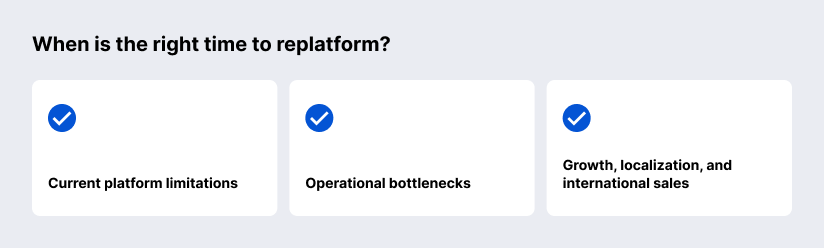
Current platform limitations
The most obvious sign is a technical ceiling. If your current platform lacks native support for modern features, like headless commerce, advanced discount logic, or mobile-first checkout, you’re likely bleeding conversions. If you find yourself saying “our platform doesn’t support that” more often than “let’s build that,” your technology is no longer serving your business goals.
Operational bottlenecks
Are your developers spending 80% of their time fixing bugs and only 20% building new features? That’s a massive red flag. When manual workarounds become the standard for simple tasks, like syncing inventory across channels or generating custom shipping labels, your operational costs will eventually eat your margins.
Growth, localization, and international sales
Trying to expand into new markets is usually where older, legacy systems start to fall apart. If you’re currently pulling your hair out trying to manage different currencies, localized tax laws, or translated versions of your store from one dashboard, you’re basically leaving money on the table globally. Shopify Markets and Managed Markets were built specifically to handle all that complexity. They make it surprisingly simple to launch in places like Europe or Asia without forcing you to build a completely separate website for every single country.
Pre-Migration Planning
Preparation means more than just moving data; it’s about ensuring the new environment actually solves the problems you left behind.
Define business goals and success metrics
Before looking at code, look at your KPIs. Why are you doing this? Maybe it’s to increase mobile conversion rates by 15% or to cut site load times in half. By defining success early, you give your technical team a North Star. Don’t just migrate for the sake of a new UI; migrate to hit specific, measurable business outcomes.
Audit your current ecommerce platform
Take a hard look at your existing tech stack. Which plugins are actually being used? Which custom integrations are essential, and which are just legacy bloat? This is the “moving house” equivalent of looking in the attic, if you haven’t used that custom subscription bridge in two years, don’t pay to migrate it.
Analyze products, customers, orders, and content
Data mapping is the most technical part of the pre-game. You need to categorize your data:
- Products: Check for complex variants and metafields.
- Customers: Identify those with store credit or specific tag-based discounts.
- Historical orders: Decide how many years of history you actually need to bring over.
- Content: Don’t forget your SEO-heavy blog posts and landing pages.
Choose the right Shopify plan
Shopify isn’t one-size-fits-all. Most scaling businesses land on Shopify Plus for its lower transaction fees and advanced API access, but for mid-market brands, the Advanced plan might suffice. Base your choice on your projected annual GMV (Gross Merchandise Volume) and the level of checkout customization you require.
Build a realistic timeline and project team
A rushed migration is a failed migration. You need a team that covers three bases: a Project Manager to keep the timeline on track, a Technical Lead for data integrity, and a QA Tester to break things before your customers do. A typical enterprise migration can take anywhere from 8 to 16 weeks, trying to squeeze that into 14 days is a recipe for a broken checkout on launch day.
Shopify Migration Checklist
A successful move is all in the details. Before you start the actual data transfer, run through these essential preparation steps to ensure nothing gets left behind.
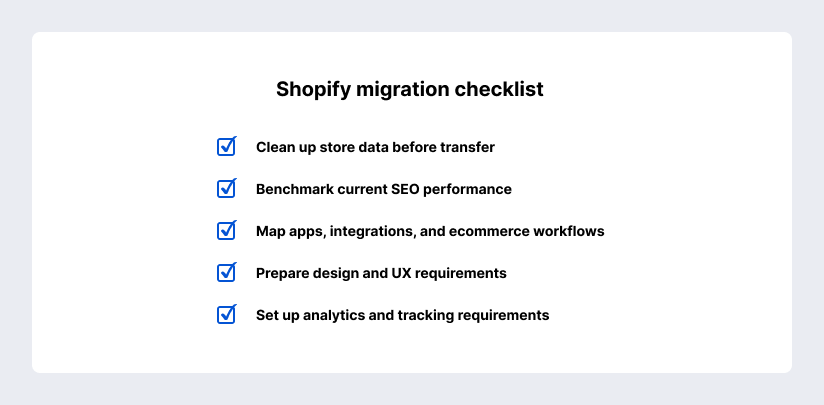
Clean up store data before transfer
Garbage in, garbage out. If your current database is cluttered with duplicate customer profiles, test products from 2019, or messy SKU formatting, clean it up now. It is significantly easier to scrub a CSV file or a SQL database before it hits Shopify than it is to fix thousands of individual entries in a live admin panel.
Benchmark current SEO performance
You can’t protect what you haven’t measured. Use tools like Ahrefs or Google Search Console to pull a complete list of your top-performing URLs, keyword rankings, and backlink profiles. This snapshot is your insurance policy; it allows you to verify that your organic traffic remains stable after the domain points to the new servers.
Map apps, integrations, and ecommerce workflows
Your store isn’t an island; it’s part of a technical ecosystem. List every job your current site does. How does an order get to the warehouse? How are refunds handled? Map out these workflows and identify which Shopify apps or custom APIs will take over those tasks. If a legacy plugin doesn’t have a direct Shopify equivalent, you’ll need to plan a workaround now.
Prepare design and UX requirements
Migration is the perfect excuse for a facelift. Instead of just copying your old site, look at your heatmaps. If customers are ignoring your current sidebar, don’t build it into the new Shopify theme. Gather your brand assets (high-resolution logos, custom fonts, and color palettes) and decide if you’re going with a high-performance off-the-shelf theme or a fully custom Liquid build.
Set up analytics and tracking requirements
Don’t wait until after launch to realize your Meta Pixel or GA4 tracking isn’t firing. Document every event you need to track (Add to Cart, Initiate Checkout, Newsletter Sign-up) and ensure your GTM (Google Tag Manager) containers are ready to be ported over. Being data blind for even 48 hours post-launch can mess up your marketing attribution for weeks.
How to Migrate to Shopify Step by Step
While there are plenty of automated tools floating around, a professional-grade move really needs a methodical, step-by-step plan to make sure nothing breaks in the middle of everything. Here is the actual process for moving to Shopify without losing your data or your mind.
Step 1: Export data from your current platform
Every platform has its own unique way of saying goodbye. If you’re coming from WooCommerce or a custom-built setup, your first big task is to pull your databases into a format that’s actually readable, usually something like a CSV, XML, or JSON file. Just make sure you’re grabbing the full picture here. You don’t want to leave behind the hidden stuff like SEO tags and product alt-text, which are easy to overlook but a pain to recreate later.
Step 2: Prepare and format your data
Shopify is strict about its data structure. You can’t just upload a Magento export and hope for the best. You’ll need to map your old data headers to Shopify’s specific CSV requirements. This is often where you’ll spot inconsistencies in SKU naming or missing weight values for shipping, fix them here before they hit the new system.
Step 3: Import products, collections, customers, and orders
Start with your products and collections to build the skeleton of your store. Once the catalog is live, move on to customer records and historical orders. Note: Because of security encryption, you cannot migrate passwords. Your customers will need to reset them once the new site is live.
Step 4: Rebuild ecommerce logic and store settings
This is the brain of your store. You’ll need to recreate your back end, think about discount rules, customer segments, and automated tag behaviors. It’s also the time to set your currency, language, and time zone settings so the storefront behaves exactly as your local market expects.
Step 5: Configure payments, shipping, taxes, and domains
Money in, packages out. Set up Shopify Payments (or your preferred gateway), define your shipping zones, and ensure your tax settings are compliant with local laws. Finally, connect your domain, but keep the “A Record” pointing to your old site until you are 100% ready to flip the switch.
Step 6: Set up apps and advanced integrations
Now, reconnect your ecosystem. Install the apps you identified in your checklist and configure your API integrations for ERP or CRM syncing. If you’re moving to a headless setup or need custom middleware, this is when the technical heavy lifting peaks.
Step 7: Customize store design and navigation
When you’ve got all your data and back-end logic sorted out, it’s finally time to focus on the look and feel of the store. This is where you apply your theme, build out your navigation menus, and get your footer organized. You’ll want to make sure your key pages, like About Us and your FAQs, have been moved over properly. Most importantly, give your homepage a good once-over to make sure it’s fully optimized for both speed and getting customers to actually hit that buy button.
Step 8: Test the store before launch
Before going live, try to break it. Place test orders using real credit cards (then refund them), check the mobile responsiveness of every page, and verify that your 301 redirects are actually pointing to the right places. Use a staging environment to catch any 404 ghosts.
Step 9: Launch the new store
As soon as your QA team gives you the thumbs up, it’s time to update your DNS settings so they point toward Shopify’s servers. Just keep in mind that it can take up to 48 hours for that change to spread across the web globally. Because of that, you’ll want to watch your traffic like a hawk and make sure your support team is ready to jump on any of those day-one glitches that might pop up.
How to Protect SEO During Shopify Migration
Remember that migration is an SEO minefield as well. If you aren’t careful, you can lose years of organic ranking progress in a single afternoon. The goal is to make the transition invisible to Google, even if everything under the hood has changed.
Preserve URL structure where possible
Shopify has a fixed URL architecture (e.g., all products live under /products/ and all pages under /pages/). If your old site used a different folder structure, you won’t be able to match it perfectly. However, for everything else, like the slug or the handle, keep it identical. If your old URL was https://example.com/blue-widget, try to keep the new one as https://example.com/products/blue-widget. Consistency is your best friend here.
Set up 301 redirects
This is the single most important step in the entire process. A 301 redirect tells search engines that a page has permanently moved to a new home. You need a map where every old URL points to its new Shopify equivalent. Without this, Google will land on a 404 error, and your rankings will plummet. Don’t just redirect everything to the homepage; point old products to new products and old categories to new collections.
Transfer metadata and structured data
Your page titles and meta descriptions are what convince users to click in search results. Don’t leave these to Shopify’s default settings. Ensure that every snippet of metadata is exported from your old site and imported into the corresponding Shopify fields. Additionally, make sure your “Schema” or structured data (which shows star ratings and prices in Google) is correctly implemented in your new theme.
Update internal links and content
Broken links inside your own content are a signal of a low-quality site. Once the migration is complete, use a crawler like Screaming Frog to find internal links that point to your old URL structure. You’ll need to manually or programmatically update these so they point directly to the new Shopify paths. This keeps the “link juice” flowing smoothly through your site.
Submit the new sitemap to Google
Once your domain is live on Shopify, the platform automatically generates a new sitemap.xml file. Don’t wait for Google to find it on its own. Head over to Google Search Console and submit the new sitemap URL. This nudges the search engine to start crawling your new structure and indexing the changes immediately.
Monitor rankings, traffic, and indexing
The first few weeks post-launch are critical. Keep a close eye on your Core Web Vitals and search traffic. It’s normal to see a tiny bit of volatility, but if you see a sharp, sustained drop, you likely have a redirect loop or a “noindex” tag accidentally left in your code. Catching these early is the difference between a minor hiccup and a long-term SEO disaster.
Shopify Migration Methods
There’s more than one way to move your data, and the right path depends entirely on the size of your catalog and the complexity of your back-end logic.
Manual CSV import and export
The “old school” approach. You export your data into spreadsheet files, clean them up to match Shopify’s formatting requirements, and upload them via the admin panel. It’s a free and straightforward method, but it’s incredibly labor-intensive and prone to human error, best suited for small stores with simple product structures.
Automated migration apps
Third-party tools like Matrixify or Cart2Cart act as a technical bridge. These apps connect directly to your old platform via API and pull the data into Shopify. They are excellent for mid-sized businesses that need to migrate bulk data, including orders and customer tags, without writing custom code.
Store importer tools
Shopify provides its own native Store Importer app designed to handle migrations from specific platforms like WooCommerce, Squarespace, or Etsy. While it’s a great starting point for standard setups, it may struggle with highly customized data fields or complex product variants that fall outside the out-of-the-box parameters.
Custom migration with ecommerce developers
When you have a non-standard database or heavy integrations, off-the-shelf tools won’t cut it. Professional developers can write custom scripts to map intricate data relationships and ensure that even the most complex Shopify API integrations remain intact. This is the safest route for maintaining data integrity during enterprise-level shifts.
Agency-led replatforming
For a true turnkey solution, an agency handles everything from the initial audit and UX design to SEO protection and final launch. This isn’t just about moving data; it’s about a full-scale digital transformation. Partnering with a specialized team like SaM Solutions ensures that your migration is treated as a strategic project rather than just a technical task.
Shopify Migration Costs and Timeline
Budgeting for a migration is about more than just the platform subscription. You need to account for the technical man-hours required to ensure a seamless transition without downtime.
Main cost factors
The total investment is driven by three main pillars: the volume and complexity of your data (products, customers, orders), the level of design customization (premium theme vs. bespoke Liquid development), and the number of third-party integrations (ERP, CRM, 3PL) that require configuration.
Typical timeline by store complexity
- Small stores: 2–4 weeks for standard data moves and theme setups.
- Mid-market: 2–4 months for stores requiring custom functionality and data scrubbing.
- Enterprise: 6+ months for complex migrations involving legacy system overhauls and global multi-store setups.
Hidden costs to consider
Don’t overlook the “soft” costs that can creep up, such as paid app subscriptions, premium theme licenses, domain migration fees, and the temporary dip in productivity as your team learns the new backend. Additionally, post-launch SEO monitoring and troubleshooting should be factored into your initial budget.
How to reduce risk and budget overruns
The best way to keep costs in check is a rigorous discovery phase. Define your must-have features versus nice-to-haves before the first line of code is written. Using a staged approach, migrating core data first and layering in advanced features post-launch, can help manage cash flow and reduce the risk of a project bottlenecking.
Common Shopify Migration Challenges
Even with the best tools, moving a store is a high-stakes operation. Being aware of the “potholes” before you hit them is the only way to keep the project on track.
Data loss and formatting issues
The most frequent headache is data drift, where product descriptions lose their formatting or customer tags disappear during the move. If your source data isn’t perfectly mapped to Shopify’s CSV requirements, you risk ending up with a catalog that looks broken or incomplete.
SEO traffic drops
Without a bulletproof 301 redirect strategy, you’re essentially deleting your site’s history in the eyes of search engines. Missing even a handful of high-traffic URLs can lead to a sudden, painful dip in organic rankings that can take months to recover.
Broken integrations
Your ERP, warehouse management, and email tools all need to talk to Shopify. If these connections aren’t tested early, you might find that orders aren’t reaching fulfillment or that customer data isn’t syncing to your marketing lists, causing immediate operational friction.
Checkout and payment errors
A glitch at the final step is a conversion killer. Misconfigured tax zones, unsupported shipping methods, or gateway errors can prevent customers from finishing their purchase. These “silent” errors are often only found through end-to-end testing.
Team adoption issues
A new platform means a new workflow. If your operations and marketing teams aren’t trained on the Shopify backend before launch, day-to-day tasks will grind to a halt. Resistance to change is often the biggest non-technical bottleneck in any migration.
Post-Launch Tasks After Moving to Shopify
The go-live moment isn’t the finish line; it’s the start of the stabilization phase. The first 48 hours are critical for catching the small glitches that only appear once real customers start clicking.
Check store performance
Monitor your page load speeds across different devices immediately. Use Shopify’s native speed reports and Google PageSpeed Insights to ensure that heavy images or third-party app scripts aren’t dragging down your mobile conversion rates.
Track orders and customer behavior
Watch the Live View in your Shopify admin to ensure orders are flowing through to your payment gateway and fulfillment software. Use heatmaps or session recordings to see if new customers are getting stuck on any redesigned navigation elements or checkout steps.
Fix crawl errors and redirect issues
Keep a close eye on Google Search Console for a spike in 404 errors. No matter how careful your pre-launch mapping was, some ghost URLs often slip through. Address these immediately with fresh 301 redirects to protect your search rankings.
Train ecommerce and marketing teams
Ensure your staff is comfortable with the new order management and discount workflows. A quick training session on how to handle refunds, update inventory, and pull sales reports will prevent operational bottlenecks during the first week of trading.
Optimize the store after launch
Once the site is stable, start refining. Use your initial post-launch data to tweak your product recommendations, adjust your search filters, and test different Call to Action placements. Migration is a fresh start, use it as a baseline for continuous A/B testing and growth.
Choosing a Shopify Migration Partner
Picking the right partner is the difference between a seamless upgrade and a costly technical disaster.
Ecommerce platform expertise
Look for a partner with a deep history in diverse ecommerce architectures. Whether you are moving from Adobe Commerce, BigCommerce, or a bespoke legacy system, your partner should understand the DNA of both your old and new platforms to ensure a smooth transition.
SEO and data migration experience
Data is your company’s most valuable asset. A qualified partner must have a proven methodology for lossless data transfer and a rigorous SEO preservation strategy.
Security and compliance practices
In a highly regulated digital world, security cannot be an afterthought. Ensure your partner adheres to global standards like ISO 9001 and ISO/IEC 27001. Our teams at SaM Solutions adhere to these quality and security benchmarks, protecting your customer data from the very beginning.
Integration and custom development capabilities
Most migrations require more than just plug-and-play apps. You need a partner capable of custom Liquid development and complex API integrations to sync your store with existing ERPs or CRMs. Our technical teams specialize in bridging these gaps to create a unified tech stack.
Long-term support and optimization
A successful launch is just the beginning. Choose a partner that offers post-migration support and continuous performance tuning. SaM Solutions provides the long-term technical oversight needed to turn your new Shopify store into a scalable, high-conversion growth engine.
Summing Up
Replatforming is a major turning point for any digital business. While the process requires meticulous planning and technical precision, the long-term payoff (lower maintenance costs, better scalability, and a superior customer experience) is almost always worth the effort. By following a structured migration path, you aren’t just moving your data; you’re setting the stage for your next phase of growth.
FAQ
Can marketplace sellers move their operations to Shopify?
Definitely. A lot of brands that got their start on Amazon, Etsy, or eBay eventually make the jump to Shopify so they can finally own their branding and customer data. You don’t even have to leave those marketplaces behind, Shopify basically becomes your home base, keeping your inventory and orders in sync across every platform through simple integrations.
Is Shopify migration too risky for a large ecommerce store?
Will Shopify migration disrupt existing integrations and workflows?
Is Shopify migration worth the cost compared to improving the current platform?