Shopify Composable Commerce: The Enterprise Guide to Architecture


(If you prefer video content, please watch the concise video summary of this article below)
Key Facts
- Instead of forcing brands to rebuild every service as separate microservices, Shopify lets teams keep the commerce engine, checkout, and much of the operational back end on Shopify while customizing the front end, content layer, and selected business logic through APIs, Hydrogen, Oxygen, Functions, and extensions.
- A simple way to frame the Shopify composable commerce evaluation is this: use it when your brand needs more control than a standard theme can comfortably provide, but still wants platform-managed security, checkout, hosting options, and operational stability.
- Shopify’s own documentation and enterprise guidance repeatedly position Hydrogen and Oxygen as the supported headless Stack, while the Storefront API, Functions, Checkout UI Extensions, and customer account extensibility provide the Modular building blocks around that core.
Shopify composable commerce matters because enterprise retail no longer lives on one website alone. Modern brands increasingly need omnichannel delivery across web, mobile, B2B portals, editorial campaigns, market-specific experiences, and connected systems such as ERP, CRM, PIM, and loyalty tools; Shopify’s enterprise guidance describes this shift as a move toward API-first, modular architecture rather than one tightly coupled monolith.
What Is Composable Commerce and Why Is the All-In-One Model Reaching Its Ceiling
Composable commerce means choosing specialized parts of the commerce experience and connecting them through an API layer, instead of forcing everything into one tightly coupled codebase. Shopify’s enterprise explanation of headless and composable architecture describes this as decoupling the front end from the commerce engine so teams can develop, deploy, and scale each layer more independently.
The all-in-one model reaches its ceiling when complexity grows faster than the platform’s presentation layer can adapt. That usually happens when brands need rich editorial storytelling, market-specific journeys, heavy third-party Integration, multiple buyer types, or faster release cycles than a traditional theme-centric Storefront can support comfortably. Shopify’s enterprise articles on headless, headless CMS, and decoupled CMS all point to the same pattern: rigid coupling becomes painful when content, channels, and operational dependencies multiply.
How Shopify Composable Commerce Differs from Traditional Headless Layouts
Shopify differs from many traditional headless layouts because it is not asking you to replace the entire commerce foundation. Its approach keeps core commerce services managed while giving teams freedom at the experience layer, which reduces the amount of plumbing a brand must own compared with a pure “bring every service yourself” model. Shopify calls out this selective flexibility directly in its enterprise composable guidance.
What Are the Core Components of Shopify’s Modern Composable Stack?
Shopify’s modern composable Stack is a connected set of services rather than one feature. The easiest way to understand it is to think of the Storefront API as the backbone, Hydrogen as the development toolkit, Oxygen as the deployment layer, Functions as controlled back-end customization, and extensions as safe ways to tailor checkout and customer-account moments.
The Shopify Storefront API as your core backbone
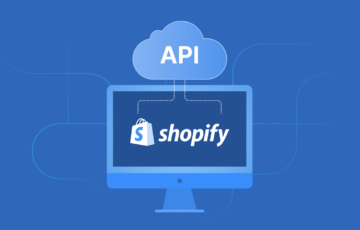
The Storefront API is the backbone because it is the contract between your custom front end and Shopify’s commerce engine. Shopify documents it as the API used to power custom storefronts, and the Headless channel gives teams a centralized place to create and manage the tokens, permissions, product publishing, order attribution, analytics, and reporting attached to those storefronts.
Building dynamic front ends with the Hydrogen framework
Hydrogen is the preferred front-end toolkit because Shopify designed it specifically for custom storefronts. Shopify describes Hydrogen as its opinionated toolkit built on React Router, optimized for commerce, and tightly integrated with the Storefront API; it also includes standard routes, caching strategies, redirects, and SEO helpers that spare teams from reinventing common Storefront patterns.
Global edge-native hosting via Oxygen
Oxygen is the hosting layer because it runs Hydrogen storefronts at the edge and removes much of the DevOps burden that usually comes with custom commerce hosting. Shopify documents Oxygen as a worker-based runtime built for hosting Hydrogen storefronts at the edge, with multiple deployment environments and support for GitHub-based continuous deployment or custom CI/CD.
For business leadership, the benefit is simpler: scalability and cleaner release management. Instead of maintaining separate infrastructure for a custom Headless build, teams can use Oxygen’s built-in deployment flow, caching, and platform connection; Shopify also states Oxygen is included on all Shopify plans except Starter at no extra cost.
Injecting custom back-end logic using Shopify functions
This is where Shopify’s composable model becomes especially practical. Instead of building an external rule engine for every edge case, brands can place specific logic exactly where it matters in the commerce loop while leaving the underlying platform stable and upgradeable. One caveat is important: Shopify documents that some Function capabilities and custom-app usage are limited to Shopify Plus, so plan fit matters.
Tailoring checkout experiences via Checkout UI extensions
Checkout UI Extensions tailor checkout because they insert custom UI and logic at defined targets in the Shopify checkout experience. Shopify documents use cases such as personalized messages, custom payment options, surveys, and post-purchase experiences, while also stressing that these extensions work through target APIs and sanctioned UI components rather than arbitrary code injection.
Enhancing loyalty with customer account extensibility
Customer account extensibility matters because post-purchase experience often decides whether a first order becomes a second. Shopify documents customer account UI extensions as a way to add loyalty information, subscription management, returns, shipment tracking, custom pages, and profile enhancements inside customer accounts through defined targets and APIs.
For enterprises, this creates a cleaner path to retention features. Shopify says these extensions run in an isolated sandbox, have limited API access, can read and write metafields in supported contexts, and can be configured by merchants in the checkout and accounts editor, which makes the customer account a controlled but still extensible retention surface.
Ready to scale? Get a custom Shopify store built for growth by SaM Solutions’ experts.
Why Shopify’s Architecture Beats Build-It-Yourself Composable Infrastructure
Shopify’s architecture often beats DIY composable infrastructure because it narrows the amount of infrastructure you must own while preserving the parts that actually differentiate your brand. The table below is an editorial synthesis based on Shopify’s documented support for a managed commerce core, Hydrogen, Oxygen, Headless channel token management, edge deployment, and platform-managed security/compliance.
| Evaluation Criteria | Shopify Composable Commerce | Build-It-Yourself Architecture |
| Time-to-market | Faster because the commerce core, checkout, APIs, and a supported Headless Stack already exist. | Slower because hosting, caching, security, routing, observability, and integration patterns must be assembled and validated. |
| Maintenance costs | Lower operational burden because Shopify manages core commerce infrastructure, and Oxygen can manage edge hosting for Hydrogen. | Higher burden because DevOps, patching, hosting, compliance scope, and service coordination stay with your team. |
| Security and PCI scope | Better controlled because Shopify-managed checkout and platform certifications reduce PCI exposure for many commerce flows. | Broader responsibility because more of the payment-adjacent and infrastructure surface is custom-owned. |
| Engineering focus | More of the team can work on experience, content, personalization, and business logic. | More of the team is pulled into plumbing, runtime issues, integration fragility, and platform upkeep. |
| Scalability model | Strong managed Scalability with optional self-hosting when needed. | Flexible but fully self-managed, which raises the bar for consistent Performance operations. |
What Are the Real-World Use Cases of Shopify Composable Commerce in Practice?
Real-world use cases show that Shopify composable commerce capabilities are used not only for flashy design teams. In practice, the model appears most often where brands need stronger storytelling, more exact business logic, or multi-market coordination without sacrificing a unified commerce core.


Is Composable Commerce Right for Your Brand: An Honest Decision Matrix
Composable commerce is right for some brands and unnecessary for others. The decision should come from business complexity, team capability, and customer-experience ambition, not from the assumption that “more custom” automatically means “more modern.”
| Business Criterion | Choose Composable Commerce | Stay with Standard Shopify Plus |
| Annual scale and growth pressure | Rapid growth, several brands or regions, or high experience demands justify the extra Architecture. | Stable growth and a single-core Storefront often do not need a custom front end. |
| Front-end customization | You need a highly bespoke experience, editorial layouts, app-like flows, or decoupled CMS delivery. | Theme-driven customization is enough for your merchandising and marketing goals. |
| Tech Stack complexity | You rely on more than a few critical Integrations across ERP, CRM, PIM, loyalty, or B2B workflows. | Your ecosystem is moderate, and the native platform plus apps already cover most requirements. |
| Omnichannel delivery | You need shared commerce logic across web, app, portals, and other touchpoints. | Your primary channel is still the main website. |
| Performance and release goals | You want tighter control over caching, rendering, and deployment workflows for a Headless Storefront. | Standard Shopify Performance and release patterns already meet your KPIs. |
What Is a Practical Migration Roadmap to a Modular Architecture?
A practical migration roadmap starts with narrowing risk, not expanding scope. Shopify’s migration and modernization guidance recommends phased approaches, strong continuity planning, data discipline, SEO protection, and customer-experience safeguards rather than one giant switch-over.
Step 1: Assessment of the existing monolithic stack and technical debt
The first step is to identify what is truly broken and what is merely familiar. Shopify’s modernization guidance describes common decision paths such as encapsulating a legacy core, replatforming to SaaS, or rebuilding into composable services, each with very different timelines and risk profiles.
Step 2: Definition of the core back-end API strategy and priority checklist
The second step is to define contracts before code. Shopify’s enterprise Integration guidance recommends API-first patterns, event-driven updates where latency matters, and clear orchestration so pricing, inventory, customer, and order truths do not fragment across systems.
Step 3: Selection and implementation of the modern front-end framework
The third step is to choose the front-end path that matches your team. Shopify offers Hydrogen as the preferred full-stack option, Hydrogen React for more flexible React-based use, and Storefront API-only approaches if you want another framework, which means your Headless strategy can be opinionated or framework-agnostic as needed.
Step 4: Data migration strategy for zero downtime and risk mitigation
The fourth step is disciplined migration design. Shopify’s migration guidance emphasizes continuity of products, customers, orders, logins, loyalty balances, gift cards, discount codes, redirects, and analytics, and notes that risk-managed migrations can be executed with no downtime and no lost data when planned correctly.
Step 5: Continuous testing protocols and the final deployment phase
The fifth step is proving everything under production-like conditions before launch. Shopify’s guidance around Functions testing, migration, QA, and post-launch SEO monitoring reinforces the same point: test storefront logic, redirects, analytics, extension behavior, and integration syncs continuously, then monitor closely after launch while search engines and downstream systems normalize.
What Critical Questions Must Engineering Teams Ask Before Transitioning?
Engineering teams should ask a small set of uncomfortable questions early, because most composable mistakes come from underestimating ownership. The table below is a practical screening tool synthesized from Shopify’s official docs on Headless channels, API behavior, checkout, and account extension constraints, migration timelines, security, and enterprise Integration patterns.
| Core Question or Risk | Key Metric or KPI | Go Signal | No-Go Signal |
| Team capabilities | Proven React, Headless, API, and commerce integration skills | Dedicated engineers can own the front end, integration, QA, and release flow | Team only knows theme edits or cannot support custom runtime ownership |
| Budget allocations | Build a long-term maintenance budget | Budget covers implementation and ongoing support, not just launch | Funding exists only for the initial build |
| Infrastructure security | Compliance ownership, access model, auditability | Clear security model, token governance, and vendor review process | No clear role for security, privacy, or access-control governance |
| API performance | Cache strategy, query design, latency, token strategy | Team understands Storefront API behavior and can design around limits and caching | Team assumes APIs are infinite and performance will “sort itself out” |
| Workflow impact | Marketing and content publishing speed | Content team gains structured workflows and predictable publishing | Marketing becomes more dependent on developers for routine changes |
Does the internal engineering team have the required skills and capabilities?
The team needs more than front-end talent; it needs architectural judgment. A Shopify composable build usually requires competence across React-style front-end work, API design, caching, authentication, deployment workflow, content modeling, and Integration mapping, even if Shopify reduces the amount of raw plumbing compared with a DIY stack.
What is the true total cost of ownership and long-term maintenance budget?
The real cost is not the build alone; it is the operating model after launch. Shopify can reduce TCO by managing checkout, core commerce, and optionally edge hosting, but composable still adds ongoing cost in areas such as CMS licensing, experimentation tools, search, observability, implementation support, and continuous evolution of the custom front end.
How will infrastructure security and third-party vendor compliance be managed?
Security must be designed as a system, not a checklist. Shopify’s managed platform helps by covering substantial compliance-heavy ground, such as PCI DSS Level 1, secure checkout, and enterprise-grade controls, while its extension models for checkout and customer accounts intentionally limit arbitrary DOM access and isolate custom code.
What are the potential risks of data synchronization latency and API performance limits?
Latency and limits are manageable, but only if they are planned for. Shopify documents that tokenless Storefront API access has a query complexity limit of 1,000; each shop can have up to 100 active storefronts and access tokens, and the Storefront Cart API separately has no rate limits for legitimate traffic and includes bot protection, so teams must decide which calls belong where and how caching will be handled.
How will post-migration workflows change for marketing and content teams?
Marketing workflow changes are often the hidden success factor. Shopify’s guidance on decoupled CMS and headless CMS makes clear that composable can dramatically improve content reuse and multi-channel delivery, but only if content modeling, preview flows, and ownership boundaries are designed with nontechnical users in mind.
What Does SaM Solutions Offer?
SaM Solutions is well-positioned to help brands because Shopify composable commerce is not only a development task; it is an architecture, migration, and operational-change program. The most valuable partner contribution in this kind of project is usually a combination of discovery, stack design, front-end delivery, systems integration, migration risk control, QA, and post-launch optimization aligned to business goals rather than tool hype.
In practical terms, that means SaM Solutions can help enterprises with Shopify composable commerce evaluation, design the target Modular Stack, build a Hydrogen-based or framework-agnostic Storefront, connect ERP/CRM/PIM and CMS systems through stable APIs, implement functions and extensions where needed, and manage phased migration with SEO, continuity, and performance in view.

Conclusion
The most important decision is still strategic restraint. If standard Shopify already solves the problem, stay simple; if your brand’s differentiation genuinely depends on a custom front end, richer integration, a more composable ecosystem, and more exact control over experience and workflow, Shopify offers one of the clearest ways to go headless without drifting into unnecessary infrastructure complexity.
FAQ
A composable setup usually keeps your core Shopify subscription in place while adding costs for the services you choose around it. The good news is that Shopify states Oxygen is included on all plans except Starter at no extra cost, so a Hydrogen plus Oxygen path does not automatically introduce separate hosting fees; the higher monthly spend typically comes from optional tools such as a headless CMS, search, personalization, analytics, or external hosting if you choose to self-host Hydrogen instead.